


HORROR GAME // CASE FILE 001

BRYCEJW
THE SIGNAL

A scary game about a gamer streamer whose screen starts showing things that were never recorded. You were not supposed to find the signal.

FICTIONAL HORROR EXPERIENCE. This website is a fan/game-project presentation and does not claim that the events described are real.
BRYCEJW game artwork Distorted BRYCEJW icon Bryce game artwork
CASE FILE

The Signal

At 03:17 AM, the stream cuts out. The recording should end there — but it doesn't. A second feed appears, showing Bryce in places that were never part of the stream. Every time the player watches the footage, another detail changes.

THE FIRST MESSAGE

“BRYCEJW IS LIVE.” No channel link. No timestamp. Just a red notification that disappears after three seconds.

THE RULE

Don't answer the voice coming through the monitor. It knows what game you're playing.

03:17The stream goes black.
03:21A Geometry Dash level appears that nobody remembers creating.
03:44The camera feed begins moving on its own.
04:02The player receives a message from an account named BRYCEJW.
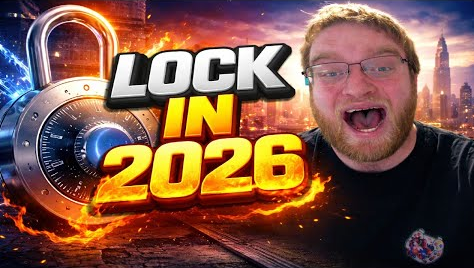
SUBJECT PROFILE

Bryce Jamison Wells

Bryce game profile image

In the game's fictional case file, Bryce Jamison Wells is a gamer and streamer known for playing Geometry Dash. The horror begins when his gaming setup starts behaving as though someone — or something — is playing along.

GAMERSTREAMERGEOMETRY DASHHORROR SUBJECT
GAMEPLAY

Don't Let Him See You

EXPLORE

Search rooms, corrupted recordings and abandoned stream archives for clues.

PLAY

Geometry Dash-inspired timing sections hide codes inside impossible patterns.

SURVIVE

Something reacts whenever you look away. Keep your light alive and keep moving.

WATCH

Review old stream footage. Every replay can reveal a different detail.

DECIDE

Some messages are traps. Others are the only way forward.

ESCAPE

Reach the final transmission before the signal finds the source.

ARCHIVED MEDIA

Recovered Images

GET THE GAME

Download

The button below is controlled by one setting near the bottom of this file. Put your MediaFire, Google Drive, itch.io or other download URL there.

const SITE_CONFIG = {
  downloadUrl: "https://example.com/your-download",
  discordUrl: "",
  youtubeUrl: "",
  twitchUrl: ""
};